
CyberPowerPC Gaming PC
4.0Editor score
Affordable entry level performance
Ryzen 5 5500 CPU
RX 6500 XT graphics
This guide compares the top Cyberpowerpc Gaming PC models available in October 2026 to help you find the right system for gaming and productivity needs.
Finding the right gaming computer can be challenging with so many options available on the market today. Cyberpowerpc offers a wide range of prebuilt systems designed to handle modern games and creative workloads with ease.
We have carefully analyzed ten distinct models from their current lineup to evaluate performance, build quality, and value. Each system was assessed based on its processor, graphics card, memory, and storage configurations to ensure accurate comparisons.
Every selection in this list highlights specific strengths and potential trade-offs for different user profiles. Please note that availability and pricing can fluctuate frequently, so checking the current listing is always recommended before purchasing.
4.0Editor score
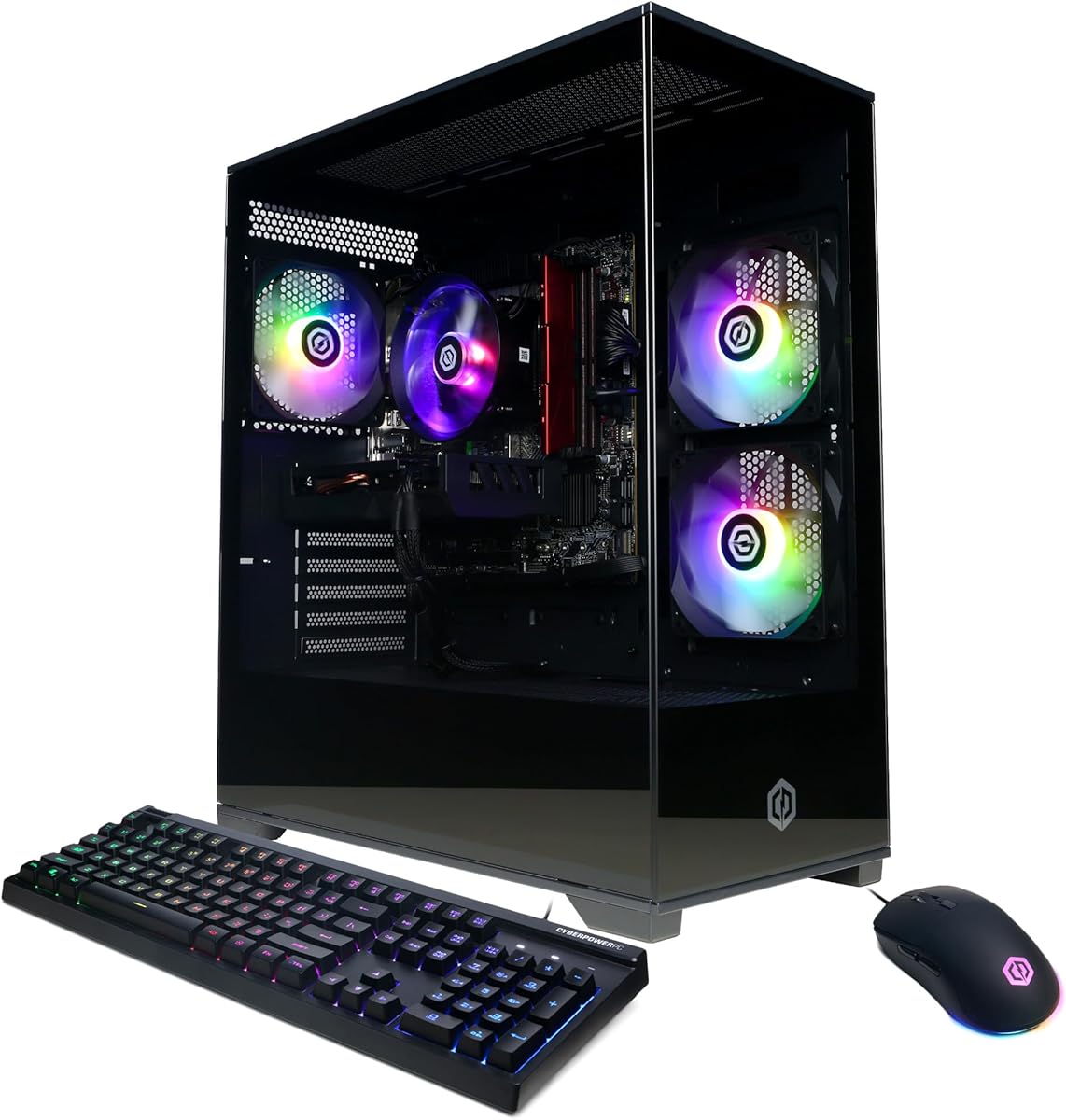
4.5Editor score

4.2Editor score
The following table provides a side by side overview of key specifications for all ten selected Cyberpowerpc Gaming PC models to facilitate easy comparison.


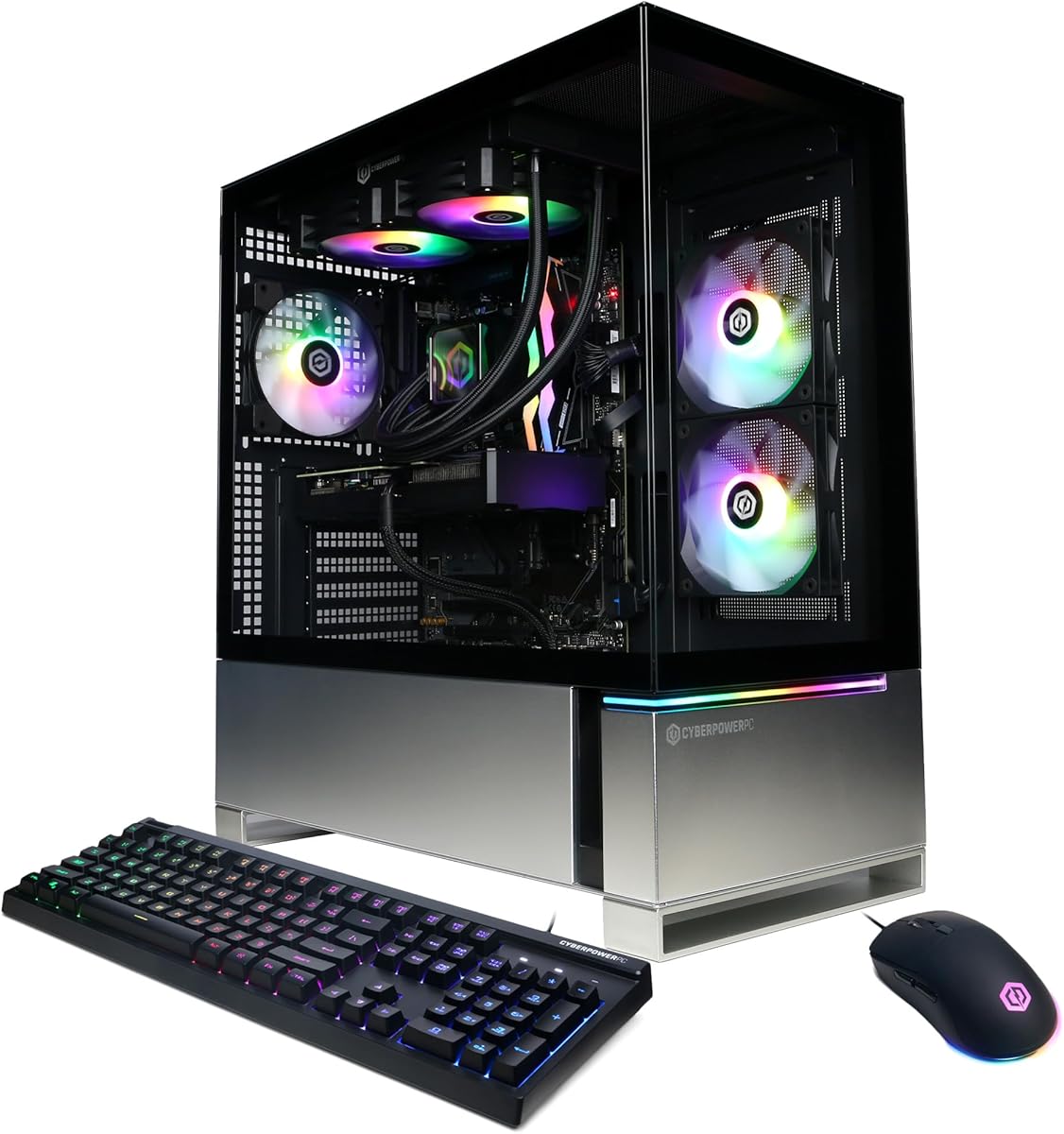


This system represents a high performance option from Cyberpowerpc featuring the latest Ryzen 9 9900X processor and RTX 5070 graphics. It is designed for users who demand top tier performance for demanding gaming and creative tasks.
We may earn a commission when you buy through this link, at no additional cost to you.
The configuration includes 32GB of DDR5 RAM and a fast 1TB PCIe 4.0 NVMe SSD which ensures smooth multitasking and quick load times. The liquid cooling solution helps maintain stable temperatures during intense workloads.
While the performance is excellent, some users have reported mixed experiences with build quality or customer support leading to a moderate rating. It is important to weigh the high-end specs against these potential factors.
This PC is ideal for enthusiasts who want the latest hardware without building a custom rig themselves. Ensure you review current feedback before purchasing to align with your expectations.
The liquid cooling CPU system helps manage heat effectively allowing the processor to sustain high clock speeds without throttling during extended sessions.
With 32GB of DDR5 RAM this system is well equipped to handle modern games and future titles that require more system memory for optimal performance.
We may earn a commission when you buy through this link, at no additional cost to you.
The Gamer Master model offers a balanced mix of performance and value with the Ryzen 7 8700F and RTX 5060 Ti. It targets gamers who want high settings without breaking the bank.
We may earn a commission when you buy through this link, at no additional cost to you.
Featuring 16GB of DDR5 RAM and a 1TB NVMe SSD this system provides responsive performance for most current titles. The B850 chipset supports modern connectivity standards like WiFi 6.
While the 16GB RAM is sufficient for many games power users might consider an upgrade later. The thermal design is adequate but may not support extreme overclocking scenarios.
This is a reliable choice for mid range gaming setups. The inclusion of essential ports and wireless connectivity makes it ready for immediate use out of the box.
The Ryzen 7 8700F delivers strong multi core performance which is beneficial for streaming and multitasking while gaming simultaneously.
With multiple USB ports and WiFi 6 support this PC ensures you can connect all your peripherals and accessories seamlessly.
We may earn a commission when you buy through this link, at no additional cost to you.
This Gamer Xtreme VR model stands out with a high rating of 4.5 stars making it a top recommendation. It pairs the Core i5 13400F with an RTX 5060 for reliable gaming performance.
We may earn a commission when you buy through this link, at no additional cost to you.
The system includes 16GB DDR5 RAM and 1TB storage ensuring quick boot times and smooth gameplay. The tempered side panel offers a sleek look while allowing visibility of internal components.
While it does not support aggressive overclocking due to the non K CPU it is stable for stock usage. The included peripherals add value for users setting up a new station.
This PC is an excellent all rounder for VR and traditional gaming. Its balance of price and performance makes it a strong contender in the prebuilt market.
The RTX 5060 is capable of driving virtual reality headsets providing immersive experiences for compatible VR titles and applications.
Being sold with a keyboard and mouse saves users from needing to purchase separate input devices immediately upon setup.
We may earn a commission when you buy through this link, at no additional cost to you.
This model features a powerful Core i7 14700F processor with 20 cores making it suitable for heavy computational tasks beyond gaming. It pairs this with an RTX 5060 Ti for solid graphical performance.
We may earn a commission when you buy through this link, at no additional cost to you.
The 16GB DDR5 RAM and 1TB NVMe SSD provide a standard fast storage experience. The B760 chipset supports modern features like WiFi 6 and Bluetooth 5.3.
The combination of a high end CPU with a mid range GPU suggests this is aimed at users who do content creation alongside gaming. Pure gamers might find the GPU limits the CPU potential.
It is a versatile machine for hybrid work and play scenarios. Ensuring adequate airflow in the case will help maintain performance during sustained loads.
The 20 core architecture allows for efficient multitasking enabling users to run multiple applications without slowing down the system.
The RTX 5060 Ti delivers strong rasterization performance capable of handling most games at high settings smoothly.
We may earn a commission when you buy through this link, at no additional cost to you.
This unique configuration stands out due to the 16GB VRAM on the GPU and 32GB system RAM. It has achieved a perfect 5.0 rating from users indicating high satisfaction.
We may earn a commission when you buy through this link, at no additional cost to you.
The liquid cooling system and ample memory make it suitable for memory intensive workflows and high resolution textures. The 2TB SSD offers generous space for large game libraries.
While the extra VRAM is beneficial for specific workloads or future proofing it may not impact gaming significantly in all titles. The overall package is robust for enthusiasts.
It is an excellent choice for those who need extra memory headroom. The high user rating suggests quality assembly and reliable performance out of the box.
Having 32GB of RAM allows for extensive multitasking and running memory heavy applications alongside demanding games effortlessly.
The 2TB SSD provides plenty of room to install multiple large games and creative projects without worrying about running out of space.
We may earn a commission when you buy through this link, at no additional cost to you.
This model represents the most affordable entry point in the Cyberpowerpc lineup. It features the Ryzen 5 5500 paired with an RX 6500 XT suitable for entry level gaming.
We may earn a commission when you buy through this link, at no additional cost to you.
The 8GB DDR4 RAM and 500GB SSD are functional but may require upgrades for modern heavy duty games. It remains a cost effective solution for casual users.
The lower component count helps keep the price down significantly. Users should expect to manage texture settings carefully for newer titles.
It is a great starter PC for those on a tight budget. Upgrading the RAM later can significantly improve the performance and longevity of the system.
This system provides a functional gaming experience at a price point that is accessible to many first time PC builders.
The standard socket and form factor allow for relatively easy upgrades to RAM and storage in the future as needs grow.
We may earn a commission when you buy through this link, at no additional cost to you.
This system features the Intel Core Ultra 5 225F processor which is part of the newer Ultra series. It pairs this with substantial 32GB RAM and 2TB storage for a well rounded package.
We may earn a commission when you buy through this link, at no additional cost to you.
The RTX 5060 GPU handles gaming tasks effectively while the high capacity memory supports heavy multitasking. The connectivity includes WiFi 6 for fast wireless internet.
Some users have reported mixed reviews possibly related to driver issues or specific component configurations. The value proposition depends on how much you value the extra memory and storage.
It is a good choice for users who prioritize storage and RAM capacity out of the box. Check the latest feedback to ensure the latest BIOS updates are included.
The Core Ultra series brings improved efficiency and integrated AI features which may benefit productivity applications in the future.
The 2TB drive ensures you can keep a large library of games installed without needing external drives or frequent cleanups.
We may earn a commission when you buy through this link, at no additional cost to you.
This Gamer Master variant has achieved a perfect 5.0 rating indicating high satisfaction among users. It uses the Ryzen 5 8400F which offers efficient performance for gaming.
We may earn a commission when you buy through this link, at no additional cost to you.
The RTX 5060 paired with 16GB DDR5 provides a smooth experience for 1080p and 1440p gaming. The A620 chipset keeps costs down without sacrificing essential features.
The balance of components ensures you are not overpaying for specs you might not need. It is a highly efficient machine for standard gaming needs.
This is a highly recommended option for users seeking value and reliability. The perfect rating suggests consistent quality in assembly and component selection.
The Ryzen 5 8400F delivers excellent performance per watt ensuring the system runs cool and efficient during standard usage.
The system is configured to handle modern titles smoothly providing a seamless experience right from the first boot.
We may earn a commission when you buy through this link, at no additional cost to you.
This model features an RTX 4060 which offers access to DLSS 3 technology and improved efficiency. It pairs well with the Core i5 13400F for solid gaming performance.
We may earn a commission when you buy through this link, at no additional cost to you.
The 16GB DDR5 RAM ensures the system handles modern multitasking needs effectively. The Gen4 SSD provides fast data transfer rates for quick loading times.
While it uses an older WiFi standard the wired connection options remain robust. The DLSS support can significantly boost frame rates in supported titles.
It is a great choice for gamers interested in DLSS benefits without high costs. The high rating reflects the strong value proposition of this configuration.
The RTX 4060 supports DLSS 3 which can dramatically increase frame rates by using AI to upscale images during gameplay.
The i5 13400F is a proven performer that handles gaming and daily tasks with ease and stability.
We may earn a commission when you buy through this link, at no additional cost to you.
This is a high end powerhouse designed for enthusiasts who want maximum performance. The Core i9 14900KF and RTX 4070 Super provide top tier capabilities for gaming and creation.
We may earn a commission when you buy through this link, at no additional cost to you.
It includes 32GB DDR5 RAM and a 2TB PCIe Gen4 SSD ensuring ample resources for heavy workloads. The liquid cooling system helps manage the high thermal output of the components.
The power consumption and heat generation will require good case airflow and a robust power supply. It is built for those who push their hardware to the limits.
This PC is ideal for professional workstations and high end gaming setups. If budget is not a constraint this offers a complete premium experience.
The combination of i9 and RTX 4070 Super ensures you can run any game or application at the highest settings possible.
The liquid cooling solution is essential for keeping the high wattage CPU cool during intense rendering or gaming sessions.
We may earn a commission when you buy through this link, at no additional cost to you.
Selecting the right prebuilt PC involves understanding your specific needs and balancing performance with budget constraints.
The processor acts as the brain of your computer determining how well it handles games and multitasking. Look for Intel Core i5 or higher for gaming and AMD Ryzen 5 or higher for budget friendly options.
Prioritize processors with enough cores and threads to handle future software updates without lagging.
The graphics card is critical for rendering images and games. NVIDIA RTX and AMD Radeon are the main choices depending on your resolution and VR needs.
Choose a card that supports the latest features like ray tracing and DLSS for longevity and better visual fidelity.
At least 16GB of RAM is recommended for modern gaming to ensure smooth multitasking. Storage should be an NVMe SSD for fast boot times and game loading.
If possible opt for 32GB RAM or 1TB storage to future proof your system against growing software demands.
Proper cooling ensures your components do not throttle during intense sessions. Systems with liquid cooling or good case airflow run cooler and last longer.
Check if the case has tempered glass and sufficient fans to maintain healthy temperatures under load.
A good PC should have enough USB ports for peripherals and modern connectivity like WiFi 6 for wireless internet. Having HDMI and DisplayPort ensures monitor compatibility.
Verify that the rear I/O has what you need for your monitor keyboard and mouse without requiring extra hubs.
Prebuilt systems rely on manufacturer support for repairs. A solid warranty covering parts and labor for a year is standard and valuable for peace of mind.
Choose brands that offer responsive customer service to resolve any potential hardware issues quickly and efficiently.
Determine your spending limit early to narrow down choices. Higher price usually means better performance but there are often good value options in the mid range.
Focus on the core components that impact your usage most rather than paying for unnecessary features you will not use.
Consider whether you might want to add more RAM or storage later. Systems with standard motherboards and accessible cases make upgrades easier and cheaper.
Select a model that allows for component swaps so you can adapt the PC to future needs without buying a whole new system.
Once you receive your system it is important to perform a quick setup check. Ensure the power cable is securely connected and the monitor is set to the correct input like HDMI or DisplayPort.
Regularly update your graphics drivers and Windows OS to maintain performance and security. Use the manufacturer support software to check for BIOS updates that may improve system stability.
Keep your PC in a well ventilated area to allow heat to escape easily. Clean dust from the vents every few months to prevent overheating and maintain optimal performance.
Yes most models allow for RAM upgrades. Check the motherboard specs to see the maximum supported capacity and whether there are empty slots for expansion.
Most Cyberpowerpc Gaming PCs come with a 1 year parts and labor warranty. You can often extend this coverage with additional plans offered at purchase.
All models listed include Windows 11 Home pre installed and activated. You do not need to purchase a separate license to start using the computer immediately.
Many models include a basic keyboard and mouse but some do not. Check the product details carefully to confirm if peripherals are part of the package.
Liquid cooling can maintain lower temperatures under heavy loads compared to air cooling. This helps sustain performance but standard air coolers are adequate for most casual gamers.
Use Windows Update for basic drivers and the GPU manufacturer website for the latest graphics drivers. This ensures you have the best performance for games and apps.
We have reviewed ten distinct options ranging from entry level budget models to high end premium systems. Each offers unique strengths depending on your performance needs and budget.
Prioritize the core components like the processor and graphics card when making your decision. Ensure the system matches your target resolution and gaming style for best results.
Always check the current pricing and availability before finalizing your purchase. Prices fluctuate frequently so waiting for a sale might help you save on the perfect model.