
Canon MegaTank G3270
4.1Editor score
Low upfront cost
High page yield
Compact design
Finding a reliable printing solution often means dealing with expensive cartridges. Cartridge free printers offer a smarter alternative with refillable tanks. These devices save money and reduce waste significantly.
We compared ten leading models based on ink capacity, speed, and features. Our analysis focuses on real world performance and user satisfaction. Each product was evaluated for value and reliability.
Each pick shows key strengths and potential drawbacks for your needs. We highlight ink costs, connectivity, and print quality. Note that prices and availability can change over time.
4.1Editor score

4.1Editor score
4.2Editor score
As an Amazon Associate we earn from qualifying purchases.
This side-by-side comparison highlights key specifications and unique features for all ten models. It helps you quickly identify which device fits your specific printing volume and budget needs.




The HP Smart Tank 5003 stands out as a top choice for home users seeking reliability. With up to three years of ink included, it reduces the hassle of frequent purchases. Its mess-free refill system ensures clean operation every time you replenish supplies.
We may earn a commission when you buy through this link, at no additional cost to you.
Key strengths include its high volume capacity, allowing up to six thousand pages from the included ink. The wireless printing features integrate seamlessly with mobile devices for convenient access. Text quality is sharp and consistent across various document types.
While the unit is larger than some competitors, the trade-off is worth the ink capacity. Initial setup requires some patience but pays off in long-term convenience. Users appreciate the straightforward interface and minimal maintenance needs.
Ideal for families or small offices needing steady output without high costs. This printer balances performance and efficiency effectively. We recommend it for anyone tired of expensive cartridge replacements.
The three years of included ink means you print freely without immediate worry of running out.
The refill system prevents spills and mess, making maintenance simple for all users.
We may earn a commission when you buy through this link, at no additional cost to you.
This model offers a robust entry into the EcoTank ecosystem with significant ink savings. It includes enough ink for up to two years, reducing replacement frequency. The Micro Piezo Heat Free technology ensures energy efficiency and durability.
We may earn a commission when you buy through this link, at no additional cost to you.
Strengths lie in its environmental impact and connectivity. You can use voice commands to print hands-free, adding convenience to daily tasks. The Epson Smart Panel app simplifies scanning and printing from smartphones effortlessly.
It lacks automatic two-sided printing which might be a drawback for heavy document users. However, the manual duplex option still saves paper when needed. Print quality remains high for both text and photos.
Suitable for eco-conscious households valuing sustainability and low operating costs. The balance of features and price makes it a strong contender. Choose this if voice control is a priority for your workflow.
Hands-free voice-activated printing adds a layer of convenience for modern smart homes.
Heat-free technology consumes less power and extends the printer's lifespan significantly.
We may earn a commission when you buy through this link, at no additional cost to you.
The ET-2903 improves on previous models with a color display and faster speeds. It includes ink for up to three years, ensuring long-term use without hassle. The permanent printhead design offers reliability and longevity over time.
We may earn a commission when you buy through this link, at no additional cost to you.
Performance features include zero warmup time and high ISO print speeds for efficiency. The color screen makes navigation easier than plain LED displays on other units. Photo quality is exceptional thanks to high resolution settings.
It is a larger investment but justified by the added features and durability. The size fits well in dedicated home office spaces but may be bulky elsewhere. Users appreciate the speed when printing large batches of documents.
Recommended for power users who need speed and clear interface navigation. The combination of speed and ink capacity suits active families. It is an excellent upgrade from basic models.
A color display simplifies navigation and status monitoring during print jobs.
Engineered reliability and permanent printhead mean fewer repairs and longer use.
We may earn a commission when you buy through this link, at no additional cost to you.
This model stands out for including automatic two-sided printing, a premium feature. It reduces paper usage and costs without requiring manual flipping of sheets. The pigment black ink delivers sharp, professional-quality text documents.
We may earn a commission when you buy through this link, at no additional cost to you.
Key strengths are the advanced printing features and robust connectivity options. You can print hands-free using voice commands through smart home integration. The ink supply lasts up to two years providing significant savings.
The price is higher but the value is high due to paper-saving features. It is slightly more expensive but pays back in paper savings over time. The build quality feels premium and robust for daily use.
Best for users prioritizing efficiency and document quality. The auto-duplex saves time and resources. Choose this if you need professional results regularly.
Automatic two-sided printing saves paper and effort on every print job.
Pigment black ink produces sharp, professional text that looks great.
We may earn a commission when you buy through this link, at no additional cost to you.
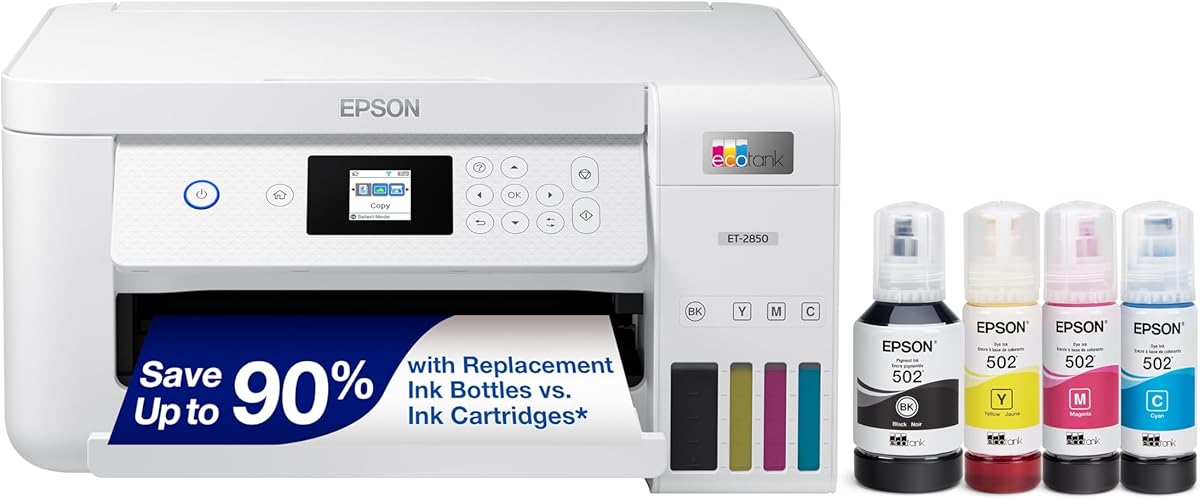
The ET-4800 provides high capacity tanks in a relatively compact form. It focuses on essential features without unnecessary complications for simple setups. The print quality remains consistent with sharp text and graphics.
We may earn a commission when you buy through this link, at no additional cost to you.
Strengths include its straightforward design and ease of integration into networks. You can print wirelessly from most smart devices without extra steps. The ink usage is efficient for typical home printing tasks.
It lacks some speed compared to newer models but fits basic needs well. Users might find it less robust for high-volume environments. However, for moderate use it is reliable and effective.
Suitable for users who want simplicity and ink savings. It balances cost and functionality. A good choice if you do not need advanced automation.
Essential features keep setup and operation easy for all users.
High capacity tanks mean lower costs per page over the lifespan.
We may earn a commission when you buy through this link, at no additional cost to you.
The G3270 is an excellent choice for those starting with tank technology. It comes with enough ink for up to two years which reduces costs significantly. The setup process is quick and straightforward for most users.
We may earn a commission when you buy through this link, at no additional cost to you.
Its main advantage is affordability without compromising on core functionality. You get high page yield and wireless connectivity at a competitive price. The LCD display simplifies basic navigation and status checks.
It does not support two-sided printing which is a limitation. However, this keeps the price lower for budget buyers. Print quality is solid for documents and casual photo needs.
Ideal for cost-conscious buyers seeking value and reliability. It removes the burden of cartridges easily. Choose this for basic home office needs.
Low upfront cost makes tank technology accessible to more households.
High page yield ensures you get maximum value from every ink bottle.
We may earn a commission when you buy through this link, at no additional cost to you.
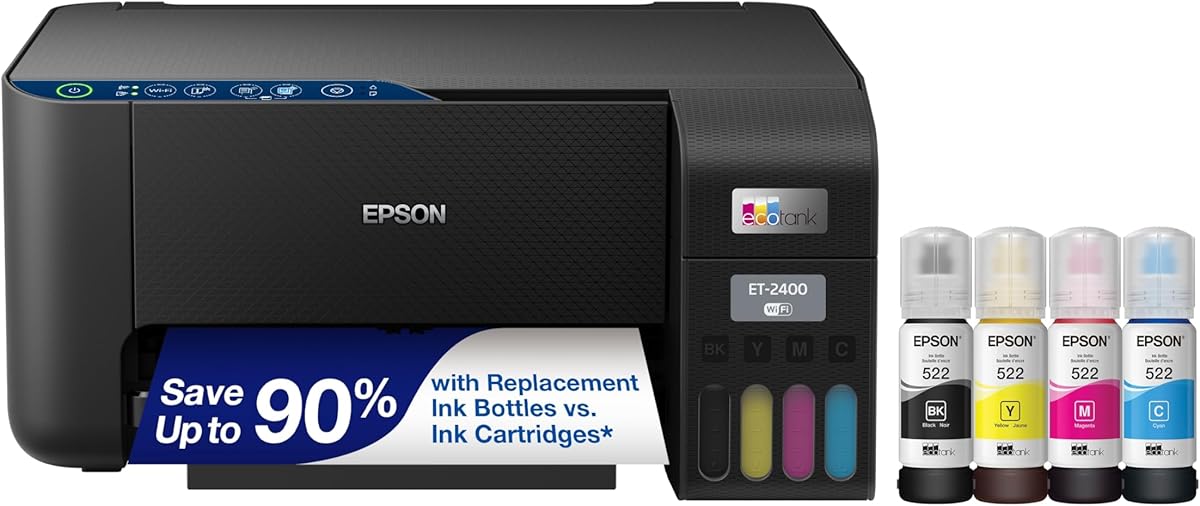
This unit offers a solid foundation with EcoFit bottles for easy refilling. It includes ink to last up to two years reducing maintenance frequency. The Micro Piezo technology ensures quiet and energy-efficient printing.
We may earn a commission when you buy through this link, at no additional cost to you.
Strengths include reliable connectivity and consistent print quality for daily use. You can print wirelessly from various devices without hassle. The design fits well in most home office setups.
It may lack some media size options compared to larger units. This limits flexibility for special printing tasks. However, standard documents and photos print well.
Suitable for households needing dependable printing without extra features. It balances price and performance. A good mid-range option.
Keyed bottles prevent mix-ups and make refilling simple.
Quiet and energy-saving operation is ideal for shared spaces.
We may earn a commission when you buy through this link, at no additional cost to you.
The ET-2800 brings vivid output and fire-resistant ink technology. It delivers detailed prints suitable for presentations and home documents. The speed is sufficient for general tasks without long waits.
We may earn a commission when you buy through this link, at no additional cost to you.
Key strengths include consistent color quality and reliable wireless performance. It is built to handle regular use without frequent jams. The ink capacity ensures fewer interruptions for refills.
Users might prefer an auto-duplex feature for heavy use. But for light to moderate use it works well. The interface is simple but effective.
Recommended for users needing reliable color and safety. It handles daily tasks with ease. A solid choice for home offices.
Vivid prints stand out for photos and reports.
Fire-resistant ink offers peace of mind during use.
We may earn a commission when you buy through this link, at no additional cost to you.
As a seventh generation model it incorporates newer refinements. It includes ink for up to three years which is ideal for low maintenance. The simple refilling process avoids spills and mess.
We may earn a commission when you buy through this link, at no additional cost to you.
Strengths include robust mobile printing and wireless connectivity. You can scan and print from smartphones with ease. The resolution supports high-quality text and images.
It may have a slight learning curve for first-time users. However, it simplifies workflows quickly. The value proposition is strong for long-term users.
Best for those wanting the latest features and capacity. It balances performance and convenience. A good modern option.
Seventh generation improvements ensure smoother operation and better reliability.
Extended ink supply ensures fewer interruptions and lower costs.
We may earn a commission when you buy through this link, at no additional cost to you.
This renewed model offers premium features at a reduced cost. It includes auto duplex printing and up to three years of ink. The speed is high making it suitable for larger jobs.
We may earn a commission when you buy through this link, at no additional cost to you.
Strengths include the color display and fast print speeds. You get advanced features without paying full price. The ink capacity reduces long-term costs significantly.
It is a renewed item so warranty details may vary. This is a risk for some buyers but savings are high. Quality is tested before shipping.
Ideal for budget savvy buyers who want high specs. It brings efficiency without the full price tag. A smart pick if you trust renewed gear.
Renewed pricing makes advanced features accessible to more buyers.
High speeds and duplex printing save time and paper.
We may earn a commission when you buy through this link, at no additional cost to you.
Choosing the right cartridge free printer involves looking at ink capacity, speed, and features. This guide outlines key factors to consider.
Look for models that include enough ink to last at least two years. Larger tanks mean fewer refills and lower long-term costs.
Prioritize printers with high page yield to ensure value.
Consider the ISO pages per minute for black and color printing. Faster speeds are essential for large documents or shared office environments.
Select a speed that matches your typical workload.
Ensure the printer supports wireless and mobile printing for convenience. Features like voice control add to usability in modern homes.
Check compatibility with your devices and apps.
Review the paper tray capacity and support for auto-duplex printing. Auto-duplex saves paper and manual effort significantly.
Choose trays that fit your volume needs.
Check resolution settings and ink technology for sharp text and photos. Pigment inks often provide better text durability than dye inks.
Select high resolution for your document needs.
Look for mess-free systems and uniquely keyed bottles to prevent errors. Refills should be simple and clean to maintain efficiency.
Opt for designs that simplify maintenance.
Consider the warranty terms and build quality for long-term use. Permanent printheads can offer better longevity over time.
Check warranty details before buying.
Evaluate the total cost of ownership including ink and paper savings. Tank systems often save money despite higher initial costs.
Calculate costs over three to five years.
Set up the printer on a stable surface and connect it to your Wi-Fi network. Download the manufacturer app to manage print jobs efficiently from your device.
Refill ink tanks only when the level indicators show low. Use genuine bottles to avoid damage and ensure quality. Close lids securely after refilling.
Run regular cleaning cycles to maintain nozzle health. Keep the printer covered when not in use to prevent dust and drying.
Yes they often have a higher initial price than cartridge models. However the long-term savings on ink make them cheaper over time.
With these models you typically refill once a year or less. Many come with ink that lasts up to three years reducing frequent maintenance.
Yes high-end models support photo quality with high resolution. Many offer vivid colors and sharp details for images.
Modern units are designed to prevent ink drying. Still print a test page monthly to maintain nozzle health.
Using genuine ink is recommended to avoid voiding warranties. Third-party inks may cause damage not covered by the manufacturer.
It saves paper and effort for text documents. Consider it if you print many pages regularly.
HP and Epson are both well regarded. Both offer solid models with proven track records.
Yes most support AirPrint and manufacturer apps. This allows easy printing from smartphones or tablets.
We reviewed ten top models from HP and Epson. Each offers unique strengths like high ink capacity or advanced features.
Prioritize ink supply and print quality for long-term savings. Match the model to your home or office needs.
Check current prices before deciding. Prices may fluctuate so look for deals now.